Details

Happy Figure Color Studio
Developer: Xtreme Fun Labs
Updated: 2026-07-21
Kids Educational Creative

Happy Figure Color Studio

Reviews

Happy Figure Color Studio offers a straightforward and relaxing coloring experience for young children. The wide color palette encourages creative experimentation, while the undo feature removes the fear of mistakes. The ability to save and share finished artwork adds a rewarding social element. It is a well-designed, family-friendly activity that promotes fine motor skills and color recognition without any pressure or distractions.

About this game

Getting Started with Coloring

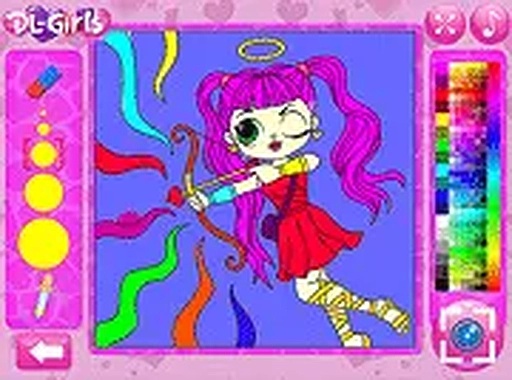
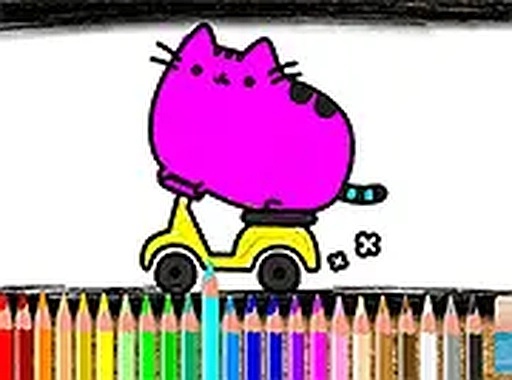
This browser-based activity presents a selection of doll outlines waiting for color. Each outline features distinct sections, such as clothing, hair, and accessories, that you can fill individually. The interface is straightforward: a palette of colors sits to the side, and you simply tap or click on any area to apply your chosen hue. There is no pressure to finish quickly, and you can switch between colors as often as you like. This makes it easy to try different looks and find combinations that please you.

Tools for Creative Exploration

The color palette includes a wide range of shades, from soft pastels to bright primaries, giving you plenty of options to personalize each figure. If you make a choice you do not like, an undo button lets you reverse the last action. You can also reset the entire drawing and start fresh. These tools encourage experimentation without fear of mistakes, allowing you to explore color relationships and develop your own style. The activity is designed to be forgiving and supportive of creative play.

Sharing Your Finished Artwork

Once you complete a coloring, you can capture a screenshot of your work. This image can be saved to your device and shared with others through messaging apps, email, or social media. Sharing your creations adds a social dimension to the activity, turning a quiet pastime into a way to connect with loved ones. It also provides a sense of accomplishment and a record of your creative progress over time.

Accessibility and Ease of Use

The activity runs directly in a web browser on both desktop and mobile devices. There is no need to create an account, download software, or install anything. This makes it easy for anyone to start coloring immediately, whether on a computer at home or a tablet while traveling. The simple controls are intuitive for young users, promoting independent play without requiring adult assistance. The experience is designed to be welcoming and hassle-free for all ages.

Compatibility

Play on Any Device | Chrome / Safari / Edge Recommended
PLAY NOW

Faq

Is Happy Figure Color Studio free to use?
Yes, the activity is completely free to access through a web browser. There are no hidden fees, subscriptions, or in-app purchases. You can start coloring right away without any payment or registration.
Can I use this on a smartphone or tablet?
Yes, the activity works on most modern smartphones and tablets with a touchscreen. Simply open your browser and navigate to the site. The interface responds to touch input, making it easy to select colors and fill areas with your finger.
What age group is this coloring activity designed for?
The activity is primarily aimed at young children, typically ages 3 to 10. However, anyone who enjoys a relaxing coloring experience can find it enjoyable. The simple controls and lack of time pressure make it accessible to a wide range of ages.
How many different doll outlines are available?
The activity includes a selection of multiple doll outlines, each with its own unique pose and details. The exact number may vary, but there are enough options to provide variety and keep the experience fresh for returning players.
Do I need an internet connection to play?
Yes, an active internet connection is required because the activity runs in your web browser. Once the page loads, you can color without further interruptions, but you need to be online to access the initial content and save your finished artwork.
Can I print my finished coloring pages?
While the activity does not have a built-in print button, you can take a screenshot of your completed artwork and then print that image from your device. This allows you to keep a physical copy of your creations if you wish.

Comments

0 comments
U
User
Loading comments...

Other Similar Games

Kind Companions Logic Challenge
Casual Puzzle Family

Kind Companions Logic Challenge

Cat Coloring Canvas
Kids Art Creativity

Cat Coloring Canvas

Happy Figure Color Studio
Kids Educational Creative

Happy Figure Color Studio

Hailey's Quirky Fashion Studio
Dress Up Fashion Creative

Hailey's Quirky Fashion Studio

Winter Queen Fashion Studio
Kids Fashion Creative Play

Winter Queen Fashion Studio

Style Studio: Creative Wardrobe Mixer
Creative Style Fashion

Style Studio: Creative Wardrobe Mixer

Vintage Style Studio
Girls Fashion Retro

Vintage Style Studio

Hair Weave Studio
Creative Relaxing Hair Styling

Hair Weave Studio

Sofia's Kitchen Surprise
Cooking Fashion Family

Sofia's Kitchen Surprise

Officer Bunny's Auto Workshop
Family-Friendly Creative

Officer Bunny's Auto Workshop