Reviews
Pixel Art Studio Online offers a simple yet engaging way to create pixel art directly in your browser. The zoom feature allows for precise detail, while the undo and redo options make experimentation easy. The community gallery adds a social element, letting you share and vote on creations. It is perfect for all ages and runs smoothly on mobile devices.
About this game
Game Introduction
Pixel Art Studio Online is a browser-based drawing game that lets you create pixel art on your desktop or mobile device. The main goal is to fill a blank grid with colors from a provided palette, one pixel at a time, to form a picture. This game is designed for players of all ages, from beginners to experienced artists. What makes Pixel Art Studio Online special is its simple interface combined with social features. You can zoom in for detailed work or zoom out to see the full image. Once your artwork is complete, you can save it and get a link to share with friends or family. The game also includes a community gallery where you can view creations by other players and give a thumbs up vote. This turns a solo creative activity into a shared experience. The game runs smoothly on both desktop and mobile browsers without any downloads, and you can use full screen mode for a more focused drawing session. Pixel Art Studio Online offers a relaxing way to express creativity and connect with a community of pixel art fans.
How to Play
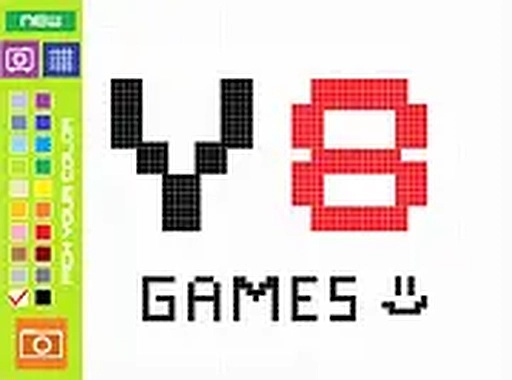
To play Pixel Art Studio Online, open the game in your browser on a computer or mobile device. You will see a grid of empty pixels. On the side, a color palette offers a range of shades to choose from. Select a color, then click or tap on any pixel to fill it. You can zoom in to work on small details or zoom out to see the whole image. The game provides undo and redo buttons, so you can fix mistakes easily. When you finish your pixel art, click the save button to generate a link. You can share this link with others. You can also browse the gallery to see what other players have made and vote on their screenshots. The controls are simple and intuitive, making it easy for players of all ages to start drawing right away.
Game Features
Pixel Art Studio Online includes several features that improve the drawing experience. The color palette offers a wide range of shades to choose from. The zoom function allows for precise pixel placement. Undo and redo options let you experiment without worry. The save and share feature makes it easy to show your work to others. The community gallery lets you view and vote on other players' pixel art. Full screen mode provides an immersive drawing environment. The game works on both desktop and mobile browsers with no downloads required.
Tips for Success
Pixel Art Studio Online offers a relaxing way to express creativity through pixel art. The simple controls make it accessible for all ages, while the social features add community interaction. It is a good choice for short breaks or longer creative sessions.
Compatibility
💻 Desktop | 📱 Mobile | 📟 Tablet
– All supported · Best with Chrome or Safari
Advertisement
Faq
Is Pixel Art Studio Online free to play?
Yes, Pixel Art Studio Online is free to play directly in your browser. There are no hidden costs or subscription fees. You can start creating pixel art immediately without any payment.
Do I need to create an account to save my artwork?
No account is required to save your pixel art. The game generates a unique link for each saved creation, which you can share with others. However, some features like voting in the gallery may work without registration.
Can I use Pixel Art Studio Online on a tablet or smartphone?
Yes, the game is optimized for both desktop and mobile browsers. It works on tablets and smartphones with touch controls, allowing you to tap pixels directly on the screen. No app download is needed.
What file format does the saved pixel art use?
When you save your pixel art, the game generates a shareable link that displays your creation in the browser. The artwork is typically stored as an image file, though the exact format may vary. You can also take a screenshot if needed.
How many colors are available in the palette?
The color palette in Pixel Art Studio Online includes a wide range of shades, though the exact number may vary. It provides enough variety to create detailed and colorful pixel art. You can select any color from the palette to fill pixels.
Is there a way to see how many votes my artwork has received?
Yes, when you share your pixel art in the community gallery, other players can give it a thumbs up vote. You can see the total number of votes on your creation's page. This feedback helps you see how others enjoy your work.