Reviews
Math Puzzle Quest offers a clean, family-friendly interface that makes practicing arithmetic enjoyable. The random problem generation keeps each session fresh, while the adjustable difficulty modes cater to both beginners and experts. The timed stages add a healthy sense of urgency without being stressful. It is an excellent tool for improving mental math speed and accuracy.
About this game
Game Introduction
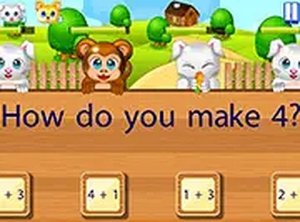
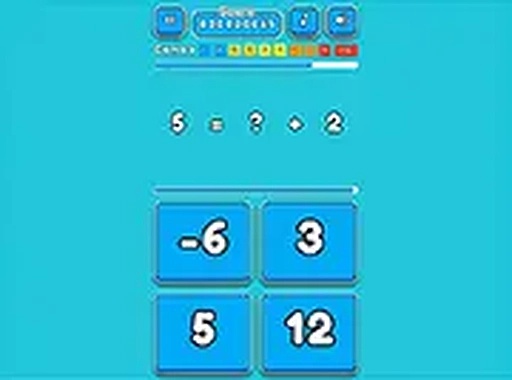
Math Puzzle Quest is an engaging puzzle game designed for players who enjoy numbers and mental challenges. The game presents random arithmetic examples across different stages, each with a timer to keep the excitement alive. Whether you are a beginner or a math enthusiast, this game helps sharpen arithmetic skills in a fun and interactive way. Available for free, it offers a simple yet addictive experience that encourages quick thinking and accuracy. With various game modes to choose from, you can tailor the difficulty to your preference and play at your own pace. The desktop-only design ensures smooth gameplay using a keyboard or mouse, making it ideal for focused practice. The core concept is to solve as many problems correctly before time runs out, providing a rewarding challenge for all ages.
How to Play
To start playing Math Puzzle Quest, simply load the game on your desktop browser. Use your mouse or keyboard to select the correct answer from the given options for each math example. The game features a timer for each stage, so you need to solve problems quickly and accurately to progress. Choose a game mode that suits your skill level, and the game will generate random examples to keep each session fresh. Your goal is to answer as many correctly as possible within the time limit. The interface is straightforward, making it easy for players of all ages to jump right in. Practice regularly to improve your speed and precision, and challenge yourself to beat your previous scores.
Game Features
Timed stages add urgency and excitement. Random math examples ensure every session is unique. Multiple game modes allow players to adjust difficulty. Family-friendly design makes it safe for all ages. Desktop-optimized controls provide smooth interaction with keyboard or mouse.
Tips for Success
To excel in Math Puzzle Quest, practice regularly to improve your mental math speed. Focus on accuracy first, then gradually increase your pace. Familiarize yourself with the different game modes to find the one that best suits your skill level. Take advantage of the random examples to challenge yourself with a variety of problems. Stay calm under time pressure and avoid rushing, as mistakes can cost you points. Consistent play will help you recognize patterns and solve problems more efficiently.
Compatibility
💻 Desktop | 📱 Mobile | 📟 Tablet
– All supported · Best with Chrome or Safari
Advertisement
Faq
Is Math Puzzle Quest suitable for very young children?
Yes, the game is designed for all ages. The multiple difficulty modes allow parents to select simpler problems for younger players, making it a safe and educational choice for kids.
Can I play Math Puzzle Quest on a mobile device?
The game is currently optimized for desktop browsers only. It works best with a keyboard or mouse, so it is not designed for mobile or tablet use.
Does Math Puzzle Quest track my high scores?
Yes, the game typically tracks your best scores for each mode. This allows you to monitor your progress and challenge yourself to improve over time.
Are there different types of math problems in Math Puzzle Quest?
The game generates random arithmetic examples, which may include addition, subtraction, multiplication, and division. The exact types depend on the mode and difficulty you select.
Is there a way to pause the game during a timed stage?
The game does not include a pause feature during active stages. You can only pause between stages or by closing the browser window, which may reset your progress.
Can I play Math Puzzle Quest offline?
The game is designed to run in a web browser, so an internet connection is required to load it. Once loaded, some versions may work offline, but this depends on the browser settings.