Reviews
Journey WebGL Adventure Platformer offers a satisfying blend of exploration and puzzle-solving in a browser-friendly format. The mysterious environments are visually appealing, and the controls are responsive. The game challenges players to think carefully before moving, which adds depth to the gameplay. It is free and runs smoothly on most desktop browsers. A solid choice for fans of adventure platformers.
About this game
Game Introduction
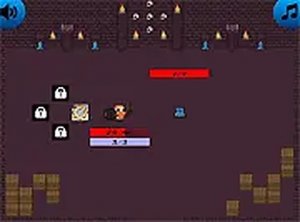
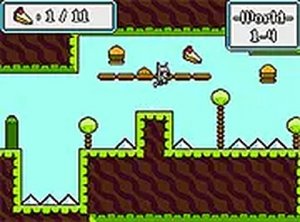
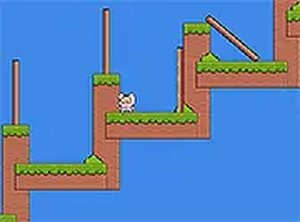
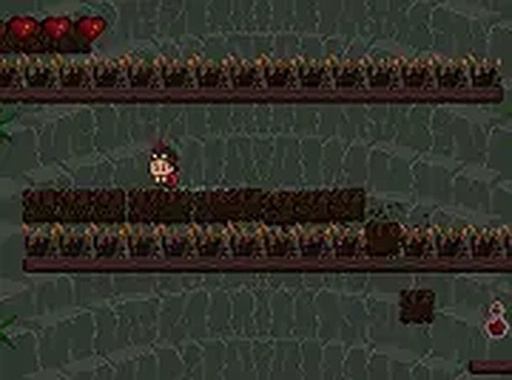
Journey WebGL Adventure Platformer is a browser-based adventure game that takes players through mysterious and wonderful places. You control a young boy who is searching for a long-forgotten treasure. The game challenges you to navigate various levels filled with strange creatures and tricky obstacles. Your goal is to reach the bottom of each area and find the treasure without falling into the void or getting caught in traps. Designed for desktop play, it offers a full-screen mode for an immersive experience. It is free to play and runs directly in your browser, making it accessible anytime. The game combines exploration with puzzle-solving elements, as you must figure out the safest path through each level. The mysterious environments and the thrill of discovery make each play session engaging. The game is straightforward but requires focus and quick reactions to succeed. Practice makes perfect, so keep trying to master each level. The game is suitable for players who enjoy platform adventures with a focus on careful movement and observation.
How to Play
To play Journey WebGL Adventure Platformer, use your keyboard or mouse to control the young boy. Navigate through each level by avoiding strange creatures and tricky obstacles. Be careful not to fall into the void, as that will end your game. Use your skills to find the path to the treasure. The game is straightforward but requires focus and quick reactions to succeed. Players typically need to time their jumps carefully and watch for moving obstacles. Observing the environment before moving can help you spot safe routes. The controls are simple, but mastering them takes practice. Each level presents new challenges that require patience and attention.
Game Features
Journey WebGL Adventure Platformer includes several features that enhance the gameplay experience. The game offers a full-screen mode for immersive desktop play. It is free to play directly in your browser without any downloads. The levels are designed with mysterious environments that encourage exploration. Players will encounter strange creatures and tricky obstacles that require careful navigation. The game challenges players to use focus and quick reactions to progress. The puzzle-platformer elements add depth to the adventure. The game is suitable for players of various skill levels who enjoy exploration and problem-solving.
Tips for Success
Take your time to observe each level before moving. Learn the patterns of creatures and obstacles to avoid surprises. Use quick reflexes to jump over gaps and avoid hazards. Practice each section repeatedly to build muscle memory. Stay patient and focused, as rushing often leads to mistakes. Pay attention to the environment for clues about safe paths.
Compatibility
✅ Works on PC & Mobile | Recommended: Chrome / Safari / Edge
Advertisement
Faq
Is Journey WebGL Adventure Platformer free to play?
Yes, the game is completely free to play. You can access it directly in your browser without any payment or subscription. There are no hidden costs or in-app purchases required to enjoy the full experience.
What devices are supported for Journey WebGL Adventure Platformer?
The game is designed for desktop play and works best on computers with a keyboard and mouse. It runs in any modern web browser that supports WebGL, such as Chrome, Firefox, or Edge. Mobile devices are not currently supported.
Does Journey WebGL Adventure Platformer require an internet connection?
Yes, since the game runs directly in your browser, you need an active internet connection to load and play it. Once loaded, the game may continue to run without interruption, but a stable connection is recommended for the best experience.
How many levels are in Journey WebGL Adventure Platformer?
The exact number of levels is not specified, but the game includes multiple challenging areas to explore. Each level presents new obstacles and creatures to navigate. Players can progress through the game at their own pace, with increasing difficulty as they advance.
Can I save my progress in Journey WebGL Adventure Platformer?
The game may include an automatic save feature that records your progress as you complete levels. However, it is best to play in one session to avoid losing progress. Check the game interface for any save or continue options.
What should I do if the game runs slowly on my computer?
Ensure your browser is updated to the latest version and that WebGL is enabled. Close other tabs or applications to free up system resources. Reducing the browser window size or disabling full-screen mode may also improve performance.