Reviews
Bouncing Ball Reflex Challenge offers a classic arcade experience with simple controls and increasing difficulty. The colorful visuals and smooth gameplay make it enjoyable for all ages. Collecting coins to unlock new skins adds a nice customization element. It is perfect for casual players looking for a quick challenge without any complicated rules.
About this game
Game Introduction
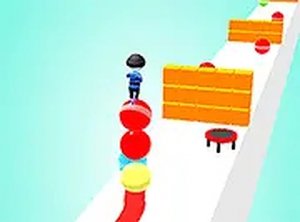
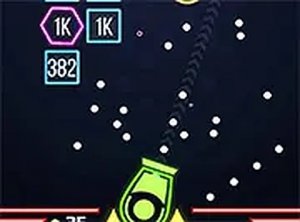
Bouncing Ball Reflex Challenge is a delightful arcade game that puts you in control of a bouncing ball on a series of platforms. Your goal is to run forward while skillfully dodging various obstacles that appear along the way. The game is simple to understand but offers plenty of excitement as you try to beat your own high score. With its colorful graphics and smooth gameplay, Bouncing Ball Reflex Challenge is perfect for players of all ages. You can also visit the in-game shop to purchase new skins and customize your ball, adding a personal touch to your gaming experience. Whether you are taking a quick break or settling in for a longer session, Bouncing Ball Reflex Challenge provides endless fun without any complicated rules.
How to Play
To play Bouncing Ball Reflex Challenge, use the arrow keys or on-screen controls to move your ball left or right across the platforms. As you advance, obstacles will appear, and you must dodge them to keep going. The game gets faster and more challenging over time, testing your reflexes. Collect coins along the way to earn points and unlock new skins in the shop. It is easy to pick up and play, making it a great choice for casual gamers. No downloads are needed—just open your browser and start playing instantly.
Game Features
Bouncing Ball Reflex Challenge offers simple controls, colorful graphics, and skin customization. The endless running gameplay provides a classic arcade experience that becomes progressively faster and more challenging. The shop system allows you to change your ball's appearance using coins collected during play. The game is designed for instant browser play with no downloads required, making it accessible on many devices.
Tips for Success
To succeed in Bouncing Ball Reflex Challenge, focus on staying alert as the game speed increases. Practice dodging obstacles by moving your ball precisely left or right. Collect as many coins as possible to unlock new skins and keep the experience fresh. Since the game becomes harder over time, try to anticipate obstacle patterns and react quickly. Regular practice will help you improve your reflexes and achieve higher scores.
Compatibility
✅ Works on PC & Mobile | Recommended: Chrome / Safari / Edge
Advertisement
Faq
Can I play Bouncing Ball Reflex Challenge on my phone or tablet?
Yes, the game is designed for browser play and works on most devices with a web browser, including smartphones and tablets. The on-screen controls make it easy to play on touchscreens.
How do I unlock new ball skins in the shop?
You can unlock new ball skins by collecting coins during gameplay. Once you have enough coins, visit the in-game shop to browse and purchase the skin you like. Each skin may cost a different number of coins.
Is there a way to pause the game if I need a break?
Yes, most browser-based arcade games like this one include a pause feature. Look for a pause button or icon on the screen, or press the Escape key on your keyboard to temporarily stop the action.
Does the game save my high score between sessions?
Many online arcade games save your highest score using browser storage or cookies. Your best score may be displayed on the game screen so you can try to beat it each time you play.
Are there different difficulty levels in Bouncing Ball Reflex Challenge?
The game typically increases speed gradually as you progress, creating a natural difficulty curve. There may not be separate difficulty settings, but the challenge grows the longer you play.
What should I do if the game runs slowly on my device?
If the game runs slowly, try closing other browser tabs or applications to free up system resources. You can also refresh the page or try a different browser for smoother performance.