Reviews
Harmony Duet Rhythm Game offers a refreshing break from fast-paced music games. Its slow tempo and cooperative focus make it accessible to all ages. The charming presentation and simple controls create a calming experience. Perfect for short play sessions, it is a delightful choice for anyone seeking a peaceful musical activity.
About this game
Game Introduction
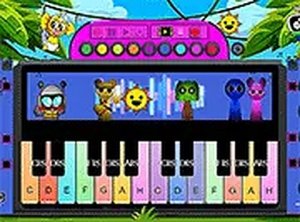
Harmony Duet Rhythm Game is a browser-based music experience that reimagines a classic rhythm game format with a romantic theme. Instead of competitive performances, this version focuses on a shared musical moment between two characters. Players join the couple as they sing together in a single, slow-tempo song. The sweet musical backdrop and simple mechanics create a family-friendly atmosphere that is easy to pick up and enjoy. This game offers a calm, melodic break from typical rhythm games, emphasizing harmony and teamwork over speed and competition. It is designed for short play sessions or unwinding after a busy day. The core objective is to keep the music flowing by matching the rhythm accurately, allowing the couple to complete their duet. What makes this game unique is its relaxed pace and romantic theme, making it accessible for players of all skill levels. The game is free to play directly in a web browser, requiring no downloads or installations. Its charming presentation and cooperative focus provide a refreshing change from faster-paced music games.
How to Play
To play, use your keyboard to match the rhythm. When colored notes scroll toward a target zone at the bottom of the screen, press the corresponding arrow keys (up, down, left, right) at the right moment. Accurate timing keeps the music flowing and the characters singing in harmony. The game is designed for desktop play, so a keyboard or mouse works best. For a more immersive view, click the full screen button to expand the game window. Practice helps, but the relaxed pace makes it accessible for all skill levels. The objective is to maintain a steady rhythm and complete the song without missing too many notes. Players typically start by watching the note patterns and pressing the keys as the notes reach the target area. The game provides visual feedback for correct and missed notes, helping players improve their timing. The simple controls and slow tempo make it easy for beginners to learn the basics of rhythm games.
Game Features
This game features a single-song experience with a slow, romantic tempo that sets it apart from faster-paced rhythm games. The gameplay is easy to learn, making it suitable for beginners and experienced players alike. It is free to play directly in a web browser, requiring no downloads or installations. A full screen mode is available for an enhanced viewing experience. The game emphasizes cooperation and a sweet theme, offering a refreshing change from competitive music games. Its simple mechanics and charming presentation make it a pleasant choice for players of all ages. The game is designed for short play sessions, allowing players to enjoy a complete musical experience in a few minutes. The romantic theme and cooperative gameplay create a unique atmosphere that encourages relaxation and enjoyment.
Tips for Success
Focus on listening to the beat of the music rather than just watching the notes, as the rhythm is key to timing your presses accurately. Start by playing at a slower pace to get comfortable with the note patterns. Practice regularly to improve your reaction time and consistency. If you miss a note, don't get discouraged—just keep going and try to stay in sync with the song. Use the full screen mode to minimize distractions and better see the note highway. Finally, relax and enjoy the melodic experience; the game is designed to be a calming break, not a stressful challenge.
✅ Compatibility & Testing
• Desktop (Windows 11, macOS Ventura)
• Mobile (iPhone 14, Samsung Galaxy S23)
• Tablet (iPad Pro, Android tablet)
✅Supported browsers: Chrome, Safari, Edge, Firefox (latest versions)
❌ Not supported: Internet Explorer, older browser versions
Advertisement
Faq
Is there a way to adjust the game volume or music settings?
The game typically includes basic audio controls accessible through the interface, such as a volume slider or mute button. Look for a speaker icon or settings menu on the game screen. This allows you to adjust the music and sound effects to your preference.
Can I play this game on a mobile device or tablet?
The game is primarily designed for desktop play using a keyboard or mouse. While some browsers may support touch input, the arrow key controls are optimized for a physical keyboard. For the best experience, play on a computer or laptop.
Does the game save my progress or high score?
Since this is a browser-based game, progress and scores are usually saved locally in your browser's storage. This means your data may be cleared if you delete your browser cookies or cache. There is no online account system for cloud saving.
How long does one complete playthrough of the song take?
The game features a single song with a slow tempo, so a full playthrough typically lasts between two to four minutes. This makes it ideal for a short break or a quick relaxation session. The exact duration depends on the song's length and your rhythm accuracy.
What should I do if the game does not load or runs slowly?
First, ensure your browser is up to date and supports HTML5. Try refreshing the page or clearing your browser cache. If the game still runs slowly, close other tabs or programs to free up system resources. A stable internet connection also helps.
Are there any alternative control schemes besides the arrow keys?
The game primarily uses the arrow keys (up, down, left, right) for note input. Some similar browser games may also support the 'WASD' keys as an alternative, but this is not confirmed for this specific game. Check the game's settings menu for any control options.