Reviews
Circus Color Art Studio offers a peaceful creative outlet for all ages. The simple click-to-color mechanic is intuitive, and the lack of timers or scores makes it stress-free. The circus theme is charming, with varied images that encourage color experimentation. It runs smoothly on any device, making it a great choice for quick breaks or longer sessions. Ideal for parents looking for a safe, educational activity for kids.
About this game
Game Introduction
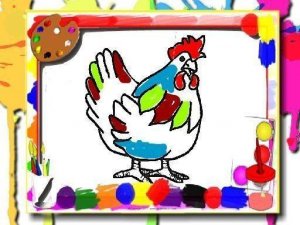
Circus Color Art Studio is a delightful online coloring game designed for both children and adults. The game invites players to step into a colorful carnival of creativity where each click adds a splash of color to circus-themed pictures. The core objective is simple: transform black-and-white outlines into vibrant artworks by selecting colors and filling areas. What makes this game unique is its focus on relaxation and fun without timers, scores, or pressure. It runs directly in your browser on any device, making it accessible anytime for a quick creative break or a longer artistic session.
How to Play
Playing is intuitive and straightforward. Start by choosing a circus-themed image from the available selection. Then, use your mouse or touchscreen to click on different sections of the picture. Each click fills the selected area with a bright color from the palette, gradually bringing the image to life. You can pick any color you like to customize your artwork. The game is designed for easy navigation, so even young children can enjoy it without assistance. There are no timers or scores—just pure creative fun. For a more immersive experience, you can switch to full-screen mode and play on desktop or mobile devices seamlessly.
Game Features
Features include fun for all ages, easy click-to-color gameplay, and a vibrant circus theme with various images to color. The game requires no downloads or installations, as it runs directly in your web browser. It is compatible with both desktop and mobile devices, allowing you to play anywhere. The simple controls make it accessible to everyone, while the colorful palette encourages artistic expression. The game offers a calm, screen-based activity that does not require reading or complex instructions, making it ideal for young children and anyone seeking a relaxing pastime.
Tips for Success
To get the most out of Circus Color Art Studio, start with simpler images to get comfortable with the click-to-color mechanics. Experiment with different color combinations to make your artwork unique. Take your time—there are no timers, so you can enjoy the process at your own pace. If you make a mistake, you can often undo or start over. Use full-screen mode for a more immersive experience. Most importantly, have fun and let your creativity guide you. This game is about relaxation and expression, so there is no right or wrong way to color.
Compatibility
💻 Desktop | 📱 Mobile | 📟 Tablet
– All supported · Best with Chrome or Safari
Advertisement
Faq
Is Circus Color Art Studio free to play?
Yes, the game is free to play online. There are no hidden charges or in-app purchases required. You can access all the coloring images and colors without any cost.
Can I save my colored artwork?
The game may allow you to save or export your finished artwork as an image file, depending on the browser and device. Check for a save or download option within the game interface.
Does the game work on tablets and smartphones?
Yes, Circus Color Art Studio is designed to work on touchscreen devices like tablets and smartphones. You can tap directly on the areas you want to color, making it easy to play on the go.
Are there new images added regularly?
The game may include a set collection of circus-themed images. Some versions might add new pictures over time, but this depends on the developer. Check the image selection screen for updates.
Can multiple children play on the same device?
Yes, the game is ideal for shared use. Each player can choose their own image and color scheme. Since there are no scores or timers, multiple children can take turns or play together peacefully.
Is there any reading required to play?
No reading is necessary. The controls are visual and intuitive—just tap or click on a color, then tap or click on the area you want to fill. This makes the game accessible to very young children and non-readers.