Reviews
Pixel Art Studio Online is a fantastic browser-based drawing game that makes pixel art accessible to everyone. The simple grid and color palette are easy to use, while the zoom function allows for detailed creations. The ability to save and share artwork with a link is convenient, and the community gallery adds a nice social element. It is a perfect way to unwind and express creativity.
About this game
Game Introduction
Pixel Art Studio Online is a browser-based drawing game that allows you to create pixel art directly on your desktop or mobile device. The core objective is to fill a blank grid with colors from a provided palette, one pixel at a time, to form a picture. This game is designed for players of all ages, from those new to art to those with more experience. What makes Pixel Art Studio Online unique is its combination of a simple, intuitive interface with social features. You can zoom in for precise detail work or zoom out to view the full composition. Once your artwork is complete, you can save it and receive a link to share with friends or family. The game also includes a community gallery where you can browse creations made by other players and show appreciation with a thumbs up vote. This turns a solitary creative activity into a shared experience. The game runs smoothly on both desktop and mobile browsers without any downloads, and you can activate full screen mode for a more focused drawing session. Pixel Art Studio Online is a relaxing way to express creativity and connect with a community of fellow pixel artists.
How to Play
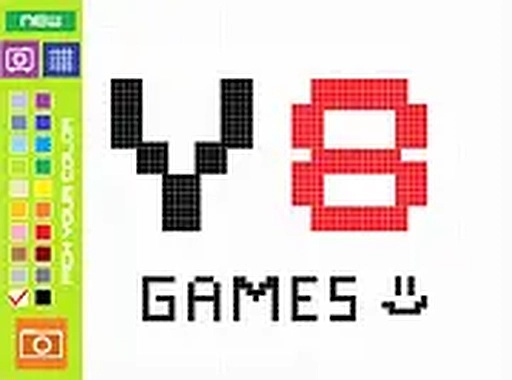
To play Pixel Art Studio Online, simply open the game in your browser on a computer or mobile device. You will see a grid of empty pixels. On the side, a color palette offers a range of shades to choose from. Select a color, then click or tap on any pixel to fill it. You can zoom in to work on small details or zoom out to see the whole image. The game provides undo and redo buttons, so you can correct mistakes easily. When you finish your pixel art, click the save button to generate a link. You can share this link with others. You can also browse the gallery to see what other players have made and vote on their screenshots. The controls are simple and intuitive, making it easy for players of all ages to start drawing right away.
Game Features
Pixel Art Studio Online includes several features that enhance the drawing experience. The color palette offers a wide range of shades to choose from. The zoom function allows for precise pixel placement. Undo and redo options let you experiment without fear of making permanent mistakes. The save and share feature makes it easy to show your work to others. The community gallery lets you view and vote on other players' pixel art. Full screen mode provides an immersive drawing environment. The game works on both desktop and mobile browsers with no downloads required.
Tips for Success
Pixel Art Studio Online offers a relaxing way to express creativity through pixel art. The simple controls make it accessible for all ages, while the social features add a layer of community interaction. It is a good choice for short breaks or longer creative sessions.
Compatibility
💻 Desktop | 📱 Mobile | 📟 Tablet
– All supported · Best with Chrome or Safari
Advertisement
Faq
Can I use Pixel Art Studio Online on a tablet?
Yes, the game is designed to work on mobile browsers, including tablets. You can tap directly on the grid to place pixels and use the color palette with your finger. The zoom function also works on touchscreens for detailed work.
Is there a limit to how many artworks I can save?
The game allows you to save your artwork and receive a shareable link. There is no mention of a limit on the number of saves, so you can create and save as many pieces as you like. Each saved piece generates a unique link.
How do I vote on other players' art in the gallery?
In the community gallery, you can browse creations from other players. Each piece of art has a thumbs up button. Simply click or tap that button to show your appreciation for the artwork you like.
Do I need to create an account to play?
No, the game does not require an account. You can start drawing immediately by opening the game in your browser. The save and share feature works without registration, and you can browse the gallery anonymously.
Can I undo a pixel I placed by mistake?
Yes, the game includes undo and redo buttons. If you place a pixel in the wrong spot, you can use the undo button to remove it. The redo button allows you to reapply a change if you undo too many steps.
Is there a way to see the full image while zoomed in?
Yes, you can zoom out at any time to see the entire picture. The game provides both zoom in and zoom out functions, so you can switch between detailed work and a full view of your pixel art as needed.