Reviews
Slide in the Woods offers a straightforward puzzle experience set in a peaceful forest. The controls are responsive, and the puzzles are logical without being too difficult. It is a good choice for short gaming sessions, and the full screen mode adds to the immersion. The game has moderate replayability as you can revisit areas to find missed clues.
About this game
Game Introduction
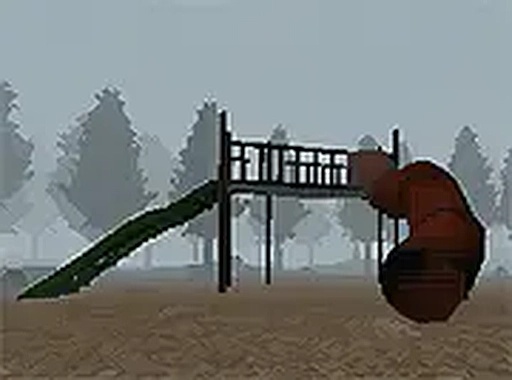
Slide in the Woods Adventure Online Puzzle Game invites players to explore a mysterious forest filled with puzzles and secrets. Developed by indie creator Jonny's Games, this free-to-play browser adventure focuses on navigating through a woodland environment, solving challenges to progress. The atmospheric setting combines calm exploration with engaging puzzle mechanics, making it ideal for fans of mystery and adventure games. Playable directly on desktop without downloads, it offers a seamless experience for those seeking a relaxing yet stimulating puzzle journey.
How to Play
Players control their character through the woods using keyboard and mouse inputs on a desktop computer. The objective is to move through the forest, interact with objects, and solve puzzles by figuring out clues and avoiding obstacles. The game is optimized for desktop play, ensuring smooth controls and clear feedback. To start, simply load the game in your browser—no registration or payment needed. For a larger view, you can activate full screen mode via the game interface. The straightforward mechanics make it accessible for players of all ages who enjoy puzzle adventures.
Game Features
This game offers free access with no downloads or registration required. It is optimized for desktop computers, providing smooth performance with keyboard and mouse controls. Full screen mode enhances the visual experience, allowing players to immerse themselves in the forest setting. The atmospheric woodland environment creates a calm yet engaging backdrop for puzzle solving. As a browser-based game, it runs instantly on Games without any setup. The puzzles and exploration elements provide a rewarding experience for adventure fans.
Tips for Success
Take your time to observe the environment carefully—clues are often hidden in plain sight. Interact with every object you encounter, as many may trigger puzzles or reveal secrets. If you get stuck, try approaching the area from a different angle or revisiting earlier locations. Practice patience and persistence, as some puzzles may require trial and error. Finally, use full screen mode to improve visibility and focus, which can help you spot subtle details in the forest.
Compatibility
• OS: Windows 10+, macOS 11+, iOS 14+, Android 10+
• Browsers: Chrome 100+, Safari 15+, Edge 100+, Firefox 100+
• Not compatible with Internet Explorer
Tested on real devices ✅ works as expected
Advertisement
Faq
Is this game available on mobile devices?
The game is specifically optimized for desktop computers with keyboard and mouse controls. It may not function properly on mobile devices or tablets, so playing on a desktop is recommended for the best experience.
Do I need to create an account to play?
No, the game is completely free and requires no registration or payment. You can start playing immediately by launching it in your browser on Games.
How long does it take to complete the game?
The playtime depends on your puzzle-solving speed and exploration style. Typically, such adventure puzzle games can take anywhere from 30 minutes to a few hours to finish, but this may vary.
Is there a save feature in the game?
The game runs directly in your browser, and save features may not be available. It is best to play in one session, as progress might not be saved if you close the browser.
Are there any scary or horror elements in the game?
While the game is set in a mysterious forest, it is designed as a fun puzzle adventure rather than a horror game. The atmosphere may be slightly eerie, but it is suitable for most ages.
Can I play this game with a gamepad or controller?
The game is designed for keyboard and mouse controls on desktop. It likely does not support gamepads or controllers, so using the standard input methods is recommended.