Reviews
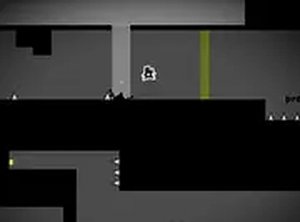
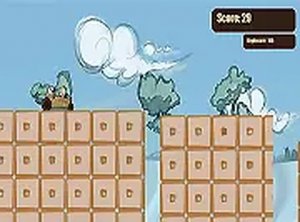
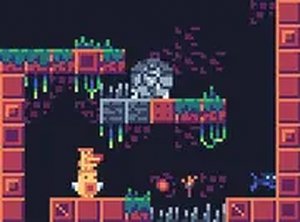
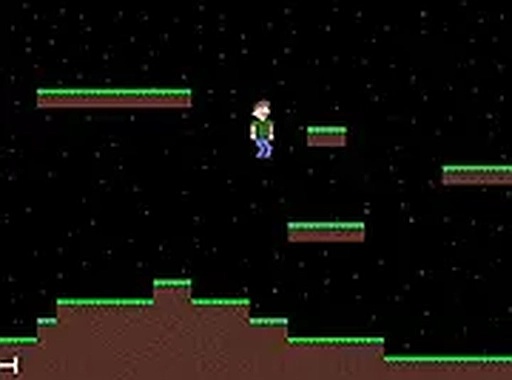
Pluto Party delivers a polished 2D platforming experience with its clean pixel art and responsive controls. The automatic save feature allows you to play at your own pace, making it ideal for casual sessions. Each level offers simple challenges that are easy to understand but still engaging. The space theme is lighthearted and family-friendly. While the game is short, it provides a satisfying and stress-free adventure that you can replay to collect all items. A great choice for players looking for a gentle platformer without complex mechanics.
About this game
Game Introduction
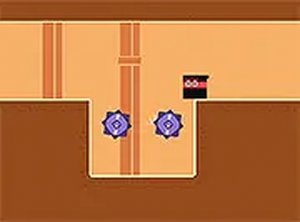
Pluto Party is a 2D platformer game with a space theme, where players embark on a cosmic journey to attend a party. The game features charming pixel art and smooth controls, creating a welcoming atmosphere for players of all skill levels. Designed for desktop play, it runs directly in the browser and is free to enjoy. The adventure combines platforming challenges with a lighthearted narrative, making it suitable for casual gaming sessions.
How to Play
Players control a character moving left and right across platforms, jumping to avoid obstacles and collect items. The game saves progress automatically between levels or when exiting to the menu, allowing for convenient short play sessions. For the best experience, use a keyboard or mouse, and switch to full screen mode for an immersive journey. The main menu includes instructions under controls to help new players get started quickly.
Game Features
Free to play 2D platformer with a space theme. Automatic progress saving ensures players can resume from where they left off. Full screen mode enhances the visual experience. The game is optimized for desktop computers with keyboard and mouse controls. Charming pixel art visuals and smooth controls make navigation easy. Family-friendly content is suitable for all ages, offering a relaxing gameplay experience.
Tips for Success
Take time to learn the controls from the main menu before starting. Practice jumping and timing to navigate platforms effectively. Collect items along the way to aid progress. Since the game saves automatically, feel free to play in short bursts. Use full screen mode for better visibility of obstacles and platforms. Stay patient and enjoy the cheerful space atmosphere as you advance through levels.
Compatibility
✅ This game supports:
- Desktop browsers (Chrome, Edge, Safari)
- Mobile browsers (Chrome on Android, Safari on iOS)
❌ Does NOT support: - Internet Explorer - Very old browser versions
👉 Try refreshing or updating your browser
Advertisement
Faq
Is Pluto Party available on mobile devices?
The game is designed for desktop computers and runs in a browser. It may not be optimized for mobile touch controls, so playing on a desktop with a keyboard or mouse is recommended for the best experience.
Do I need to create an account to play?
No account is required. Pluto Party is free to play directly in your browser without any registration or login, making it easy to jump into the adventure immediately.
How long does it take to complete the game?
The exact playtime depends on your skill level and how many levels are included. As a platformer, it typically offers a few hours of gameplay, but the automatic saving allows you to play at your own pace.
Are there any in-game purchases?
Pluto Party is completely free to play with no in-game purchases or microtransactions. All features and levels are accessible without spending money.
Can I play with friends or is it single-player?
Based on the game description, Pluto Party appears to be a single-player experience. There is no mention of multiplayer or co-op modes, so it is best enjoyed alone.
What happens if I close the browser mid-level?
The game saves progress automatically when you exit to the menu, but progress within a level may not be saved if you close the browser suddenly. It is best to exit through the menu to ensure your progress is saved.