Reviews
Cube Quest Adventure Platformer offers a charming and accessible experience for players of all ages. The controls are intuitive, making it easy to jump in and start playing. The increasing difficulty keeps the gameplay engaging without being frustrating. The bright, non-violent visuals and free-to-play model make it an excellent choice for family websites. Overall, a solid platformer that delivers fun without complexity.
About this game
Game Introduction
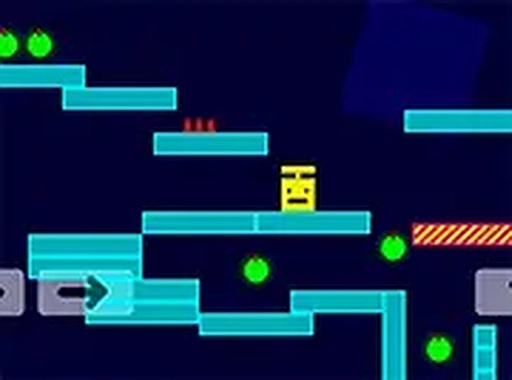
Cube Quest Adventure Platformer is a cheerful online game where players take control of a small cube hero. The goal is to navigate through whimsical levels filled with platforms, obstacles, and dangerous spikes. Green points are scattered across each stage, and collecting them is essential for advancing. The game offers a lighthearted challenge suitable for children and adults alike. It runs directly in the browser, so no installation is required. The bright visuals and simple design make it easy to start playing immediately. Full screen mode is available for a more immersive experience. Cube Quest is ideal for quick gaming sessions or longer playtimes. The game emphasizes precision jumping and timing without complex mechanics. It is a safe, ad-friendly choice for family websites.
How to Play
Players typically use keyboard arrow keys to move the cube hero left or right. Press the up arrow key to jump over obstacles. On mobile devices, tap the screen to jump and swipe to move. Collect all green points in each level to unlock the next stage. Avoid touching spikes, as they will end your current run. The controls are responsive and easy to learn. There are no complicated buttons or menus. Beginners can start playing within seconds. Experienced players will find the timing challenges engaging. The game saves progress automatically in the browser. You can restart a level at any time by pressing the reset option. The simple control scheme works well on both desktop and touchscreen devices.
Game Features
The game includes a fun adventure theme with a cute cube character. Levels are designed with increasing difficulty to keep players engaged. Green point collection adds a scoring element to each run. Obstacles and spikes require careful timing to avoid. The game is available in full screen mode for better visibility. No downloads or registrations are needed. It works on desktop computers, tablets, and smartphones. The controls are adapted for both keyboard and touch input. The visual style is colorful and non-violent. Each level offers a new layout to explore. The game is completely free to play with no in-app purchases.
Tips for Success
Practice each level to learn the placement of spikes and platforms. Focus on timing your jumps carefully to avoid obstacles. Collect all green points in a level before moving on, as they are required to unlock the next stage. Use the full screen mode to see the entire level layout. If you get stuck, try restarting the level to get a fresh start. The game rewards patience and precision, so take your time. On mobile, ensure your touch inputs are accurate by tapping and swiping deliberately. The simple controls mean that improvement comes quickly with practice.
Compatibility
• OS: Windows 10+, macOS 11+, iOS 14+, Android 10+
• Browsers: Chrome 100+, Safari 15+, Edge 100+, Firefox 100+
• Not compatible with Internet Explorer
Tested on real devices ✅ works as expected
Advertisement
Faq
Is Cube Quest Adventure Platformer free to play?
Yes, the game is completely free to play with no in-app purchases or hidden fees. You can enjoy all levels without any cost.
Does Cube Quest Adventure Platformer require an internet connection?
Yes, since it runs in a browser, an internet connection is needed to load the game. However, once loaded, some browsers may allow offline play depending on settings.
Can I play Cube Quest Adventure Platformer on my tablet?
Yes, the game is compatible with tablets and smartphones. Touch controls are available, allowing you to tap and swipe to move and jump.
How many levels are there in Cube Quest Adventure Platformer?
The exact number of levels is not specified, but the game features multiple stages with increasing difficulty. Each level has a new layout to explore.
What happens if I miss a green point in Cube Quest Adventure Platformer?
You must collect all green points in a level to unlock the next stage. If you miss any, you can restart the level to try again and collect them all.
Is Cube Quest Adventure Platformer suitable for young children?
Yes, the game is designed to be family-friendly with bright visuals and simple controls. It is suitable for children and adults alike, with no violent content.