Reviews
Block Defender stands out by blending tower defense with 2048-style block merging. The gameplay is simple to pick up but offers strategic depth as you decide when to merge, upgrade, or destroy blocks. Each wave feels different, and the progression keeps you engaged. It runs smoothly in a browser and works well on mobile. The game has good replay value for short breaks or longer play. A solid choice for puzzle and strategy fans.
About this game
Game Introduction
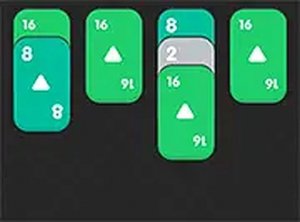
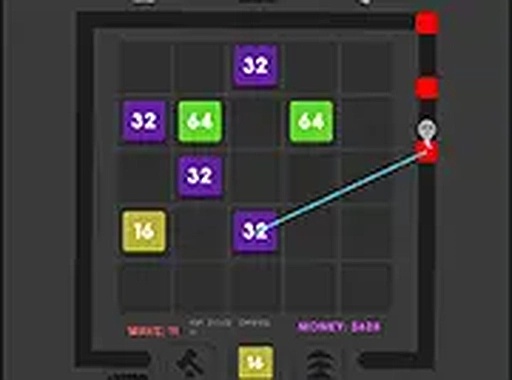
Block Defender is a creative tower defense game that adds a number-matching twist inspired by 2048. You start with basic number blocks and place them on a board. When two blocks with the same number touch, they merge into a higher-numbered block. These merged blocks automatically attack incoming red blocks that try to reach your home base. The game challenges you to plan placements and upgrades carefully as the waves grow tougher. It runs directly in your browser on both desktop and mobile devices with no downloads needed. Block Defender is free to play and offers a fresh strategy experience for puzzle and action fans alike.
How to Play
To play Block Defender, purchase number blocks from the in-game shop. Drag each block onto the game board. When two blocks with the same number touch, they merge into a stronger block. Merged blocks automatically attack nearby red blocks that move toward your home. You can spend in-game currency to upgrade a block, increasing its attack power and speed. If a block no longer fits your strategy, destroy it to free up space. Your goal is to prevent red blocks from reaching your home base. As you progress, red block waves become more difficult, so you must plan your block placements and upgrades wisely.
Game Features
Game features include a unique blend of tower defense and 2048-style matching. Blocks are upgradeable to improve attack power and speed. The game is free to play on both browser and mobile devices. It offers simple controls and deep strategy. No downloads or installations are required.
Tips for Success
Plan your block placements carefully to maximize coverage. Prioritize merging blocks to create stronger defenders. Save in-game currency for strategic upgrades rather than spending it all at once. Destroy blocks that are not effective to make room for better ones. Pay attention to the direction of incoming red blocks and position your defenders accordingly.
Compatibility
💻 Desktop | 📱 Mobile | 📟 Tablet
– All supported · Best with Chrome or Safari
Advertisement
Faq
Is Block Defender free to play?
Yes, Block Defender is free to play. It runs directly in your browser on both desktop and mobile devices with no downloads needed. There are no upfront costs, though the game may offer optional in-game purchases for currency or upgrades.
Can I play Block Defender on my mobile phone?
Yes, Block Defender is designed to work on both desktop and mobile browsers. You can play it on your phone or tablet without installing any app. Simply open the game in your mobile browser and start playing.
Do I need to download anything to play Block Defender?
No, Block Defender requires no downloads or installations. It runs entirely in your web browser. This makes it easy to start playing instantly on any device with an internet connection.
What happens when red blocks reach my home base?
If red blocks reach your home base, you may lose the round or take damage, depending on the game's rules. The goal is to prevent them from reaching your home by placing and upgrading blocks strategically to destroy them before they arrive.
Are there different difficulty levels in Block Defender?
The game may include increasing difficulty as you progress, with waves of red blocks becoming tougher. Some games of this type offer multiple difficulty settings or endless modes, but this is not confirmed for Block Defender based on available information.
Can I play Block Defender offline?
Block Defender is a browser-based game, so it typically requires an internet connection to load and play. Once loaded, some browser games may allow offline play, but this feature is not guaranteed. For the best experience, play with an active internet connection.