Reviews
Got Your Back! delivers a clean and engaging experience. The premise is straightforward: guide a penguin away from approaching killer whales. Controls are responsive, and the increasing speed provides a good challenge without becoming frustrating. The bright visuals and lack of violent content make it suitable for all ages. Replayability comes from trying to beat your previous survival time. It is a solid choice for casual gamers looking for a quick, positive activity.
About this game
Game Introduction
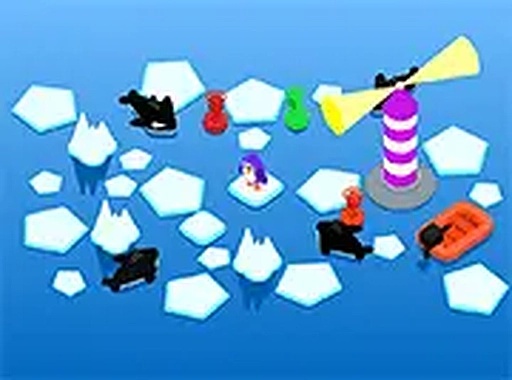
Got Your Back! is a lively arcade action game where players protect a cheerful penguin from hungry killer whales. The core objective is to guide the penguin away from danger as whales approach from various directions. This game emphasizes quick thinking and steady reflexes, offering a lighthearted challenge for players of all ages. Set in a bright, colorful world, it provides a safe and family-friendly experience with no violent or intense content. The game is part of the Animal games category and is designed to be accessible and enjoyable for both children and adults.
How to Play
Players control the penguin's movements using keyboard keys, typically the arrow keys or WASD keys. The goal is to avoid the killer whales that appear from different sides of the screen. As the game progresses, the whales move faster, requiring increased attention and faster reactions. There are no complex rules—simply steer the penguin away from danger to keep it safe. The game is optimized for desktop play and works best with a keyboard or mouse. A full-screen option is available for a more immersive experience.
Game Features
This game is free to play and runs directly in a web browser with no downloads or installations needed. It features simple keyboard controls that are easy to learn, making it suitable for players of all skill levels. The graphics are bright and colorful, creating a cheerful atmosphere. A full-screen mode is available to enhance the gameplay experience. The game is family-friendly and contains no mature content, ensuring a safe environment for younger players.
Tips for Success
To keep the penguin safe, stay alert and watch for whales approaching from all sides. Practice moving quickly and smoothly with the keyboard controls. As the game speeds up, try to anticipate where whales will appear next. Staying calm and focused will help you react faster. Regular practice can improve your hand-eye coordination and reaction time, making it easier to achieve longer survival times.
Compatibility
💻 Desktop | 📱 Mobile | 📟 Tablet
– All supported · Best with Chrome or Safari
Advertisement
Faq
Is this game suitable for young children?
Yes, the game is designed to be family-friendly and safe for all ages. It contains no violent or scary content, making it a good choice for young players. The simple controls and cheerful theme also make it easy for children to understand and enjoy.
Do I need to download anything to play?
No downloads or installations are required. The game runs directly in your web browser, so you can start playing immediately. Just open the game page and use your keyboard to control the penguin.
Can I play this game on a mobile device or tablet?
The game is designed for desktop play and works best with a keyboard or mouse. It may not be optimized for touchscreens or mobile devices, so for the best experience, use a computer.
What happens if the penguin gets caught by a whale?
If a killer whale catches the penguin, the game ends. The objective is to avoid the whales for as long as possible. You can then restart the game to try for a better score or longer survival time.
Are there different difficulty levels or modes?
The game does not specify multiple difficulty levels. However, the challenge naturally increases as you play, with whales appearing faster over time. This provides a gradual difficulty curve without needing separate modes.
How can I make the game screen larger?
You can use the full-screen mode available on the game screen. Look for a full-screen button (often an icon with arrows) and click it to expand the view. This makes the game more immersive and easier to see.