Reviews
3D Shape Construction Puzzle transforms abstract geometry into a hands-on building activity. The step-by-step process of placing vertices and drawing edges is intuitive and rewarding. Automatic snapping ensures accuracy, while full rotation lets you admire your work from any angle. It is a safe, family-friendly game that genuinely teaches spatial reasoning. Perfect for curious minds of all ages.
About this game
Game Introduction
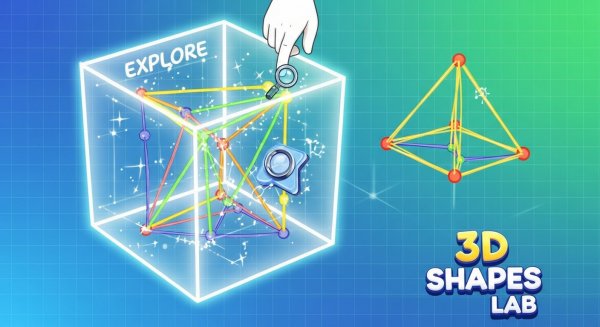
3D Shape Construction Puzzle is an educational puzzle game that makes learning geometry interactive and enjoyable. The game presents a menu of 3D shapes including cubes, pyramids, and others. Your task is to construct each shape from scratch on a digital canvas. You begin by clicking to place points that represent the vertices. Then you draw lines between these points to form the edges. Once you finish, the game automatically snaps your construction into a perfect 3D form. You can then rotate and zoom to view your creation from any angle. This process helps you understand how shapes are built, reinforcing spatial reasoning and geometric concepts. It is designed for kids and anyone curious about shapes. The game is safe, family-friendly, and provides a clear, step-by-step learning experience.
How to Play
To play, start by selecting a shape from the menu. Each shape requires a specific number of vertices. On the canvas, click to place the correct number of points. After placing all points, draw lines to connect them into edges. The game checks your work and automatically corrects it into a valid 3D shape. Use your mouse or touch to rotate and zoom the completed shape. Explore it from all sides. Try to complete each shape without errors to master the lab. The controls are simple and intuitive, making it easy for anyone to start building.
Game Features
Game features include an educational focus on geometry and spatial skills. The interactive canvas allows precise point placement and line drawing. Automatic snapping ensures your construction is accurate. Full 3D rotation and zoom let you examine shapes from every angle. The game is family-friendly and suitable for all ages. It offers a hands-on way to learn about vertices, edges, and 3D forms.
Tips for Success
You will like this game because it turns abstract geometry into a concrete, visual activity. It challenges your spatial thinking while remaining accessible and rewarding. Each completed shape gives a sense of accomplishment and deeper understanding.
Compatibility
This H5 game runs smoothly on:
• Desktop computers (Windows / Mac) • Mobile phones (iPhone / Android)
• Tablets (iPad / Android)
🌐 Best experienced with Chrome, Safari, or Edge
Advertisement
Faq
Is 3D Shape Construction Puzzle free to play?
The game is typically available as a free online experience. Some versions may offer optional in-game purchases or ad-supported play. Check the specific platform for details.
What age group is this game suitable for?
The game is designed for children and anyone curious about shapes. It is family-friendly and appropriate for all ages, though younger children may need some help with precise point placement.
Does the game include a timer or scoring system?
The game focuses on learning rather than competition. It does not typically include a timer or scoring system, allowing players to work at their own pace and explore each shape thoroughly.
Can I play this game on a mobile device?
The game is designed for desktop browsers but may also work on tablets with touch input. Mobile phone screens may be too small for precise point placement. Check the platform for compatibility.
Are there different difficulty levels in the game?
The game may offer shapes of varying complexity, from simple cubes to more advanced forms. This naturally provides a progression in difficulty without requiring explicit level settings.
Does the game provide hints if I get stuck?
The game typically includes visual cues or guides to help you place vertices and edges correctly. Automatic snapping also corrects minor errors, making the experience forgiving for beginners.