Reviews
Sky Flight 3D Arcade Challenge delivers a pure flying experience with easy controls and a clear objective. The 3D visuals are clean and help create a sense of depth without being overwhelming. It is ideal for players who want a quick challenge or a longer session. The game runs smoothly in any modern browser and is completely free. A great choice for casual gamers.
About this game
Game Introduction
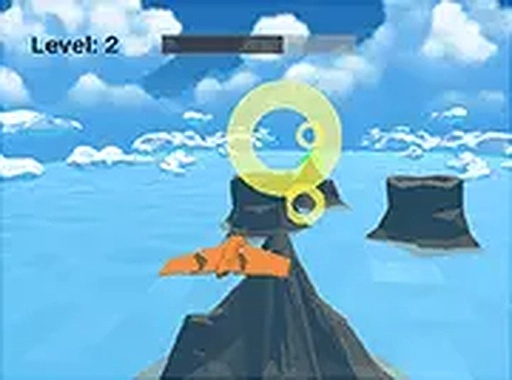
Sky Flight 3D Arcade Challenge is a browser-based flying game that puts you in control of an airplane navigating through open skies. The core objective is to keep the plane airborne while avoiding the ocean below. Each second you stay aloft adds to your score, encouraging you to improve your control and timing. The game features 3D visuals that create an immersive environment without complex graphics, making it accessible for players of all ages. Whether you have a few minutes or want a longer session, Sky Flight 3D offers a straightforward yet rewarding experience. It runs smoothly in any modern browser on desktop devices, with no downloads or installations needed.
How to Play
Players typically use keyboard or mouse controls to steer the airplane. The controls are responsive and easy to learn. Your main task is to maintain balance and avoid touching the water surface. If the plane hits the ocean, the flight ends. Points are earned based on time and distance flown. The longer you stay in the air, the higher your score climbs. Practice your steering to master the controls and beat your personal best. This game is designed for desktop use, so a computer keyboard or mouse provides the best experience.
Game Features
Sky Flight 3D Arcade Challenge is free to play with no hidden costs. It runs directly in your browser without downloads. Full screen mode is available for a more immersive view. The controls are simple and easy to pick up. The 3D graphics enhance the flying experience. The game is suitable for quick breaks or longer play sessions. It is family-friendly and respects your time.
Tips for Success
Focus on smooth and gentle movements to maintain stable flight. Avoid sudden jerks that can cause loss of control. Practice regularly to develop a feel for the plane's responsiveness. Pay attention to the horizon and your altitude to anticipate adjustments. Take short breaks to maintain concentration and improve your performance over time.
✅ Compatibility & Testing
• Desktop (Windows 11, macOS Ventura)
• Mobile (iPhone 14, Samsung Galaxy S23)
• Tablet (iPad Pro, Android tablet)
✅Supported browsers: Chrome, Safari, Edge, Firefox (latest versions)
❌ Not supported: Internet Explorer, older browser versions
Advertisement
Faq
Does Sky Flight 3D Arcade Challenge require an internet connection to play?
Yes, since it is a browser-based game, you need an active internet connection to load and play it. Once loaded, the game runs smoothly without further interruptions.
Can I play Sky Flight 3D Arcade Challenge on a mobile device or tablet?
The game is optimized for desktop browsers, so it may not work well on mobile or tablet screens. For the best experience, use a computer with a keyboard or mouse.
Is there a way to pause the game during a flight?
Most browser-based flying games include a pause feature, typically accessed by pressing the Escape key or a pause button. Check the game screen for such an option.
How can I share my high score in Sky Flight 3D Arcade Challenge with friends?
The game may not include built-in sharing features. You can take a screenshot of your score and share it on social media or with friends directly.
Are there any in-game purchases or ads in Sky Flight 3D Arcade Challenge?
The game is free to play with no hidden costs. It may include standard ads to support the developer, but there are no in-game purchases required.
What should I do if the game runs slowly or lags?
Ensure your browser is up to date and close other tabs or programs that may use resources. If the issue persists, try restarting your browser or computer.