Reviews
Color Stars Matching Arcade offers a simple yet addictive gameplay loop. The vibrant space visuals are appealing, and the color-matching mechanic provides a good mental challenge. It runs smoothly on any device and is free, making it a great choice for quick breaks. The increasing difficulty keeps it engaging without being frustrating.
About this game
Game Introduction
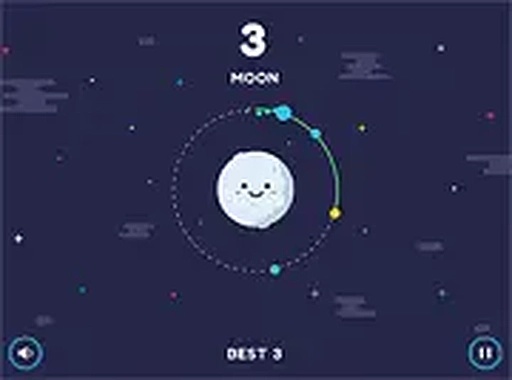
Color Stars Matching Arcade is an arcade game set in a colorful space environment. The core objective is to guide a satellite around vibrant planets to collect stars. Each star has a specific color, and the satellite must match that color to collect it safely. If the satellite switches to the wrong color, the game ends. This simple yet challenging loop tests reflexes and decision-making. Built with HTML5, the game runs smoothly on desktop and mobile devices. It is free to play and provides a family-friendly experience for all ages. The colorful planets and stars create an engaging visual environment. No downloads or installations are needed; you can start playing instantly in your browser. Full screen mode enhances the immersive experience. The game is designed to be easy to learn but difficult to master, making it suitable for quick play sessions.
How to Play
To play Color Stars Matching Arcade, control the satellite's color by tapping or clicking to switch between colors. Match the satellite's color to the next star's color before collecting it. A wrong color choice leads to the game ending, so think fast and act quickly. The game is easy to learn but requires quick thinking and precision. It works on any device with a browser, so no downloads are needed. For the best experience, use full screen mode to enjoy the colorful space environment. The controls are simple: just tap or click to change the satellite's color. As you progress, the challenge increases, keeping the game exciting. The color-matching mechanic is intuitive, making it suitable for players of all ages.
Game Features
Colorful planets create a visually appealing backdrop. Star collection drives the core gameplay loop. Color-matching challenge tests reflexes and decision-making. Mobile-friendly design ensures play on any device. Free to play with no hidden costs. The game includes a full screen mode for an immersive experience. It is built with HTML5 for smooth performance across browsers.
Tips for Success
Practice regularly to improve your reaction time. Focus on the color of the next star before making a switch. Stay calm and avoid rushing, as a single mistake ends the game. Use the full screen mode to minimize distractions. The game is perfect for short breaks and provides a satisfying mental workout for players of all ages.
✅ Compatibility & Testing
• Desktop (Windows 11, macOS Ventura)
• Mobile (iPhone 14, Samsung Galaxy S23)
• Tablet (iPad Pro, Android tablet)
✅Supported browsers: Chrome, Safari, Edge, Firefox (latest versions)
❌ Not supported: Internet Explorer, older browser versions
Advertisement
Faq
Is Color Stars Matching Arcade available on mobile devices?
Yes, the game is built with HTML5 and works on any device with a browser, including smartphones and tablets. No downloads are needed.
Does the game have any in-app purchases or ads?
The game is free to play with no hidden costs. It may include standard ads as part of the free experience, but there are no in-app purchases.
Can I play Color Stars Matching Arcade offline?
No, the game requires an internet connection to load in your browser. Once loaded, it may run without further connectivity, but it is primarily an online game.
What happens if I match the wrong color?
If the satellite switches to a color that does not match the next star, the game ends immediately. You can then restart and try again.
Are there different difficulty levels in the game?
The game does not specify difficulty levels, but the challenge naturally increases as you progress. The pace may speed up, requiring quicker decisions.
How do I enable full screen mode?
Most browsers have a full screen option in their menu or by pressing a key like F11. The game may also have a full screen button within the interface.