Reviews
Enemy in the Asteroid offers a straightforward yet engaging space defense experience. The controls are responsive, and the increasing difficulty keeps each session fresh. The WebGL graphics are clean and immersive. While the concept is simple, the game provides good replayability as you try to beat your high score. It is a solid choice for a quick gaming break.
About this game
Game Introduction
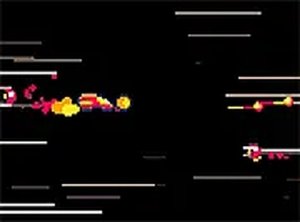
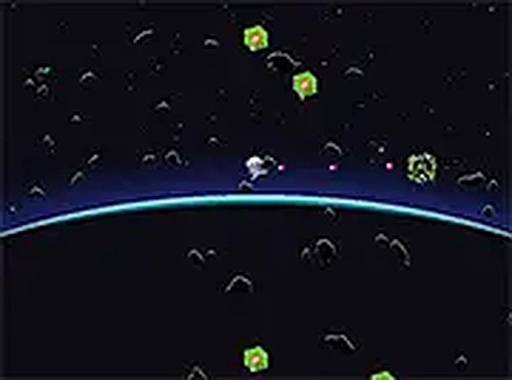
Enemy in the Asteroid is an exciting space defense arcade game that puts you in the role of a pilot defending your planet from hostile crystalline creatures hidden within an asteroid belt. Set in the year 2054, the game offers fast-paced action and strategic gameplay as you navigate through space to protect the final line of defense. This browser-based game requires no downloads and features immersive graphics optimized for desktop computers. Full screen mode enhances the cosmic battle experience, making it easy to jump into the action.
How to Play
Players control a spaceship using keyboard arrows to move through the asteroid field. Aim and fire at the attacking crystal creatures using the mouse. The core objective is to destroy enemies before they breach your defenses while dodging incoming attacks. Quick reflexes and precise aiming are essential for survival. As you progress, the enemies become more challenging, requiring constant alertness. The game is designed for desktop play, and full screen mode provides a more immersive experience. Survive as long as possible to achieve the highest score.
Game Features
This space defense game offers fast-paced combat against crystalline enemies in a WebGL-powered environment. It is free to play directly in your browser with no downloads or installations required. The game features immersive graphics designed specifically for desktop computers. Full screen mode is available to enhance the cosmic battle experience. The gameplay is easy to pick up but offers increasing difficulty for lasting engagement. As an arcade-style game, it focuses on quick sessions and high-score chasing.
Tips for Success
Practice regularly to improve your reflexes and aiming accuracy. Learn the movement patterns of the crystal creatures to anticipate their attacks. Stay mobile and avoid staying in one spot for too long, as enemies may surround you. Prioritize targets that pose the greatest threat to your defenses. Use the full screen mode to minimize distractions and improve focus. Take breaks between sessions to maintain sharp concentration. The more you play, the better you will understand enemy behavior and improve your score.
Compatibility
This H5 game runs smoothly on:
• Desktop computers (Windows / Mac) • Mobile phones (iPhone / Android)
• Tablets (iPad / Android)
🌐 Best experienced with Chrome, Safari, or Edge
Advertisement
Faq
Is the game free to play?
Yes, the game is free to play directly in your browser with no downloads or purchases required. You can start playing immediately without any registration or payment.
Can I play on mobile devices?
The game is optimized for desktop computers, so it may not work well on mobile devices or tablets. For the best experience, use a desktop or laptop computer with a keyboard and mouse.
Does the game have a scoring system?
Yes, like many arcade games, it includes a scoring system that tracks your performance. The goal is to survive as long as possible and achieve the highest score by destroying enemies and avoiding damage.
What are the system requirements?
The game runs in a browser and uses WebGL technology, so you need a modern web browser that supports WebGL (like Chrome, Firefox, or Edge). A stable internet connection and a desktop computer with a keyboard and mouse are recommended.
Is there a storyline or campaign mode?
The game has a simple backstory set in 2054 where you defend Planet E from crystal creatures. However, the focus is on arcade-style gameplay rather than a deep narrative. It offers continuous action with increasing difficulty.
Can I pause the game?
Most browser-based arcade games include a pause feature, typically activated by pressing a key like Escape or P. This allows you to take a break during gameplay. Check the game's controls or menu for specific pause options.