Reviews
Pixel Color Puzzle Game offers a peaceful and engaging experience for all ages. The pixel-by-number coloring is easy to learn, and earning coins to unlock new designs provides a satisfying sense of progress. The lack of time limits and penalties makes it a stress-free activity perfect for relaxation.
About this game
Game Introduction
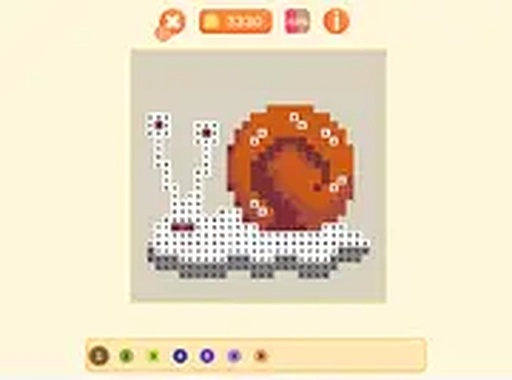
Pixel Color Puzzle Game is a relaxing online activity that combines coloring with pixel art creation. Players start with a collection of coins and use them to purchase images from an in-game shop. Each image is divided into numbered squares, and the goal is to fill each square with the correct color from a palette. As images are completed, players earn more coins to unlock new designs. The game is designed for players of all ages who enjoy creative and calming activities. It is available instantly in a browser on any device, with no download required, and is free to play. The charming pixel graphics and simple, satisfying loop make it a peaceful way to focus and unwind.
How to Play
Playing Pixel Color Puzzle Game is straightforward. First, use your coins to browse and purchase pixel images from the shop. Each image has a unique design with numbered squares. Select an image to open it, and you will see a color palette with numbers that match the squares. Tap or click on a numbered square, then choose the matching color from the palette. Fill all squares to complete the image. When finished, you earn additional coins to buy more pixel artworks. The game tracks your progress, showing how many images you have completed. You can play in full screen mode for a more immersive experience. The controls work with touch and mouse input. There are no time limits or penalties, so you can color at your own pace.
Game Features
Features of Pixel Color Puzzle Game include relaxing pixel-by-number coloring, the ability to earn coins to unlock new images, and charming pixel art designs. The game is free to play online with no download needed, and it works on both mobile and desktop devices. Full screen mode is available, and there are no time limits or pressure, allowing for a stress-free experience.
Tips for Success
To enjoy Pixel Color Puzzle Game, take your time and color at a comfortable pace. Start with simpler images to build your coin collection before attempting more complex designs. Use the full screen mode to better see the numbers and colors. Completing images regularly will help you earn coins faster, allowing you to unlock a wider variety of pixel art. The game is meant to be relaxing, so focus on the process rather than rushing to finish.
Compatibility
✅ This game supports:
- Desktop browsers (Chrome, Edge, Safari)
- Mobile browsers (Chrome on Android, Safari on iOS)
❌ Does NOT support: - Internet Explorer - Very old browser versions
👉 Try refreshing or updating your browser
Advertisement
Faq
Is Pixel Color Puzzle Game suitable for young children?
Yes, the game is designed for players of all ages. The simple tap or click controls and clear numbered squares make it easy for young children to understand and enjoy. There are no time limits or penalties, so kids can color at their own pace.
Can I play Pixel Color Puzzle Game on my tablet or phone?
Yes, the game works on both mobile and desktop devices. It is playable in a browser on any device with no download required. Touch input is supported, so you can tap the numbered squares and select colors directly on your tablet or phone screen.
How do I earn more coins in the game?
You earn coins by completing pixel images. Each time you finish an image, you receive additional coins that can be used to purchase new designs from the shop. Completing images regularly helps you build your coin collection faster.
Are there any in-app purchases or hidden costs?
No, Pixel Color Puzzle Game is completely free to play online. There are no in-app purchases or hidden costs. All features, including the shop and full screen mode, are available without any payment.
What happens if I make a mistake while coloring a square?
The game is designed to be forgiving. If you fill a square with the wrong color, you can simply tap or click on it again and select the correct color from the palette. There are no penalties for mistakes, so you can correct errors easily.
Can I save my progress and come back later?
Yes, the game tracks your progress automatically. It shows how many images you have completed, so you can return to the game at any time and continue from where you left off. Your coin balance and purchased images are also saved.