Reviews
Classic Block Puzzle Game delivers the timeless arcade experience with clean visuals and smooth controls. The increasing speed keeps you engaged, and the free, no-download format is perfect for quick sessions. A great way to enjoy a beloved puzzle challenge.
About this game
Game Introduction
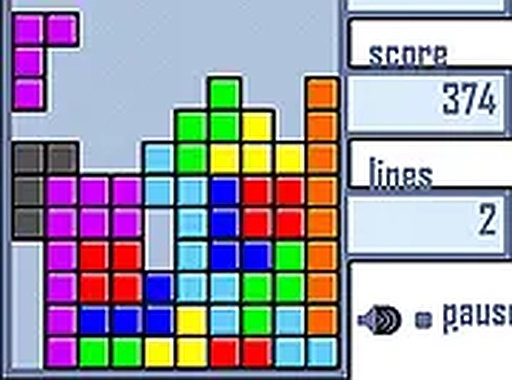
Classic Block Puzzle Game is a browser-based adaptation of the iconic arcade puzzle game. Players must strategically arrange falling tetrominoes—geometric shapes composed of four squares—to form complete horizontal rows. Each cleared row awards points and frees up space on the playfield, while the game's speed gradually increases over time, challenging your reflexes and spatial planning. This version stays true to the original with clean visuals and responsive controls, making it accessible to both longtime fans and newcomers. It is free to play and requires no downloads or registration.
How to Play
Players typically use keyboard controls to move and rotate the falling blocks. The objective is to fit the tetrominoes together so that they form a solid line across the bottom of the playfield. Once a line is complete, it disappears, and the player earns points. The game ends when the blocks stack up to the top of the screen. Quick thinking and careful planning are essential to keep the board clear and achieve a high score. This desktop-only game works best with a keyboard or mouse for precise control.
Game Features
Classic arcade puzzle gameplay that has entertained players for decades. Simple keyboard controls make it easy to pick up and play. Free to play directly in your browser without any downloads or registration. Full screen mode offers an immersive experience. The increasing difficulty provides a lasting challenge as the game speeds up over time.
Tips for Success
Practice regularly to improve your reflexes and pattern recognition. Learn to rotate pieces quickly and anticipate where they will land. Try to keep your stack low and even to avoid gaps. Clearing multiple lines at once yields higher scores, so plan ahead for combinations. Take breaks if you feel overwhelmed, as a clear mind helps with strategic decisions.
Compatibility
Play on Any Device | Chrome / Safari / Edge Recommended
Advertisement
Faq
Can I play Classic Block Puzzle Game on my mobile device?
Classic Block Puzzle Game is designed for desktop use and works best with a keyboard or mouse. It may not be optimized for touch screens on mobile devices.
Does Classic Block Puzzle Game save my high score?
High scores may be saved locally in your browser during a session, but the game does not require an account. Scores are typically reset when you close the browser.
Are there different difficulty levels in Classic Block Puzzle Game?
The game gradually increases speed over time, providing a natural progression of difficulty. There may not be separate selectable difficulty levels.
Can I pause the game in Classic Block Puzzle Game?
Many versions of this type of puzzle game allow pausing. You can usually pause by pressing a key like Escape or clicking a pause button on the screen.
Is there a time limit for each move in Classic Block Puzzle Game?
There is no strict time limit for individual moves. However, the game speed increases as you play, so you have less time to decide as the game progresses.
What happens if I make a mistake in Classic Block Puzzle Game?
Mistakes can lead to gaps in your stack, making it harder to clear rows. The game continues until blocks reach the top, so you can always start a new round.