Reviews
Classic Block Puzzle Game captures the timeless appeal of the original arcade puzzle. The simple controls and increasing speed provide a satisfying challenge. It is free, requires no downloads, and works well on desktop. Perfect for quick sessions or extended play.
About this game
Game Introduction
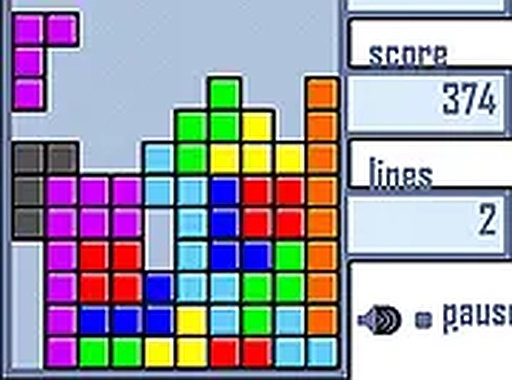
Classic Block Puzzle Game is a browser-based adaptation of the iconic arcade puzzle game. Players must strategically arrange falling tetrominoes—geometric shapes composed of four squares—to form complete horizontal rows. Each cleared row awards points and frees up space on the playfield, while the game's speed gradually increases over time, challenging your reflexes and spatial planning. This version stays true to the original with clean visuals and responsive controls, making it accessible to both longtime fans and newcomers. It is free to play and requires no downloads or registration.
How to Play
Players typically use keyboard controls to move and rotate the falling blocks. The objective is to fit the tetrominoes together so that they form a solid line across the bottom of the playfield. Once a line is complete, it disappears, and the player earns points. The game ends when the blocks stack up to the top of the screen. Quick thinking and careful planning are essential to keep the board clear and achieve a high score. This desktop-only game works best with a keyboard or mouse for precise control.
Game Features
Classic arcade puzzle gameplay that has entertained players for decades. Simple keyboard controls make it easy to pick up and play. Free to play directly in your browser without any downloads or registration. Full screen mode offers an immersive experience. The increasing difficulty provides a lasting challenge as the game speeds up over time.
Tips for Success
Practice regularly to improve your reflexes and pattern recognition. Learn to rotate pieces quickly and anticipate where they will land. Try to keep your stack low and even to avoid gaps. Clearing multiple lines at once yields higher scores, so plan ahead for combinations. Take breaks if you feel overwhelmed, as a clear mind helps with strategic decisions.
Compatibility
Play on Any Device | Chrome / Safari / Edge Recommended
Advertisement
Faq
Can I play Classic Block Puzzle Game on a mobile device?
This version is designed for desktop use and works best with a keyboard or mouse. It may not be fully optimized for mobile touch screens.
Does Classic Block Puzzle Game have different difficulty levels?
The game gradually increases speed as you play, creating a natural progression. There are no separate difficulty settings to choose from.
Is there a scoring system for clearing multiple rows at once?
Yes, clearing multiple rows simultaneously awards higher points than clearing single rows. This encourages strategic placement of blocks.
Can I pause the game if I need a break?
Most browser-based versions of this game include a pause feature, usually activated by pressing the Escape key or a dedicated button.
Does Classic Block Puzzle Game save my high score?
Some versions may save your high score locally in your browser, but this is not guaranteed. Scores are typically reset when you close the page.
Are there any in-game purchases or ads in this free version?
This version is free to play with no downloads or registration. It may include standard advertisements, but there are no in-game purchases.