Reviews
Dino Coloring Deluxe provides a straightforward coloring experience with five cute animal designs. The zoom and tip size controls help with precision, and the full-color reference makes it easy to follow. It is a calm, screen-time activity that does not require reading or complex rules. The game loads quickly and runs smoothly on any browser. While there are only five pictures, the process of matching colors remains satisfying. It is a good choice for short breaks or quiet play.
About this game
Game Introduction
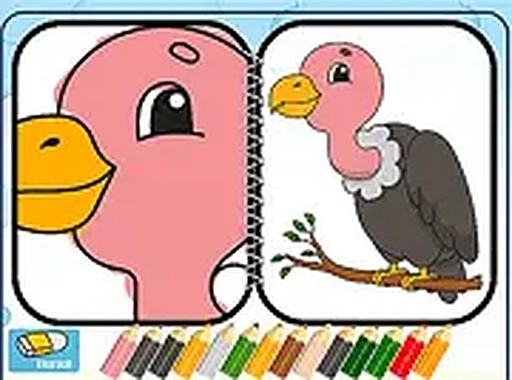
Dino Coloring Deluxe is a free online coloring game designed for kids and anyone who enjoys creative activities. The game invites players to color five charming cartoon animals, each with a unique design. The core objective is to replicate a full-color reference image displayed on the screen, encouraging attention to detail and color matching. This relaxing experience is suitable for players of all ages and can be played directly in a web browser without any downloads. It combines fun with educational value by promoting creativity and fine motor skills.
How to Play
Playing Dino Coloring Deluxe is simple and intuitive. Players start by selecting one of the five available cartoon animals. Using a mouse or touch input, they choose colors from a palette and apply them to the picture. The game allows zooming in for detailed work and adjusting the tip size for precise coloring. The goal is to match the full-color image shown on the right side of the screen. The game works smoothly on both desktop and mobile browsers, and players can switch to full-screen mode for a more immersive experience.
Game Features
Dino Coloring Deluxe is completely free to play and requires no downloads or installations. It is mobile-friendly, working on phones and tablets with touch controls. The game includes a full-screen mode for an immersive coloring experience. Easy-to-use controls make it accessible for young children and beginners. The selection of five different cartoon animals provides variety and replayability. The zoom and tip-size adjustment features allow for detailed coloring, making it suitable for both casual and more focused play.
Tips for Success
To get the best results, start by coloring larger areas first with a bigger tip size, then switch to a smaller tip for details. Use the zoom feature to work on tricky spots and ensure your colors match the reference image. Take your time and enjoy the process—there is no time limit. Experiment with different color combinations if you feel creative, as the game encourages personal expression. Regular practice can help improve color recognition and hand-eye coordination.
Compatibility
💻 Desktop | 📱 Mobile | 📟 Tablet
– All supported · Best with Chrome or Safari
Advertisement
Faq
Is Dino Coloring Deluxe safe for young children?
Yes, the game is designed for kids and features only cartoon animals with no violent or inappropriate content. It is a safe, educational activity that promotes creativity and fine motor skills. Parents can let children play without supervision, as the interface is simple and child-friendly.
Do I need to create an account to play?
No account or registration is required. Dino Coloring Deluxe is a free online game that can be played instantly in your web browser. Simply visit the website and start coloring without any sign-up process.
Can I save my colored pictures?
The game description does not specify a save or export feature. Typically, online coloring games may not include saving options. You can still enjoy the coloring experience in one session, and you may take a screenshot if you wish to keep your artwork.
Are there any in-app purchases or ads?
The game is described as free to play, but the presence of ads or in-app purchases is not mentioned. Many free online games include ads to support the service, but there is no indication of any required purchases. The core coloring activity is fully accessible without payment.
What devices can I use to play?
Dino Coloring Deluxe works on desktop computers, laptops, tablets, and smartphones. It is mobile-friendly and supports touch controls, so you can play on any device with a modern web browser. No downloads or installations are needed.
How many different animals can I color?
The game offers five different cartoon animals to choose from. Each animal has its own unique design, providing variety and multiple coloring opportunities. You can replay the game to color all of them or revisit your favorites.